There are multiple ways to find a contact’s ID in HubSpot CRM, including through its URL!
There are a few ways to find the ID of a contact.
Finding IDs for a few contacts
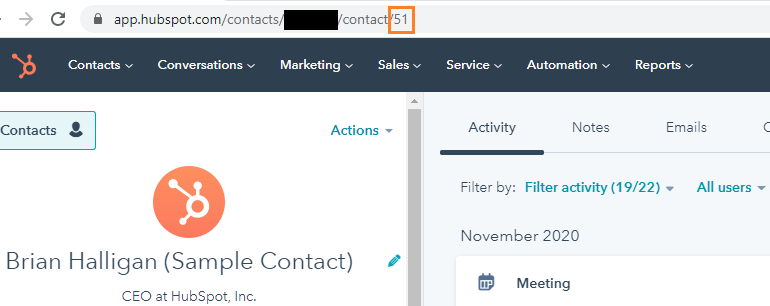
The easiest way to find the contact ID for a few contacts is by going to that contact and looking at its URL.
The last part of the URL, a series of numbers, will be the contact ID for the contact in question.
See the image below, including where the contact ID can be found in the URL – marked in orange.